Countdowns
Countdowns show how many days are left until birthdays, holidays and big days, so nobody has to ask “how many sleeps?”.
On the board
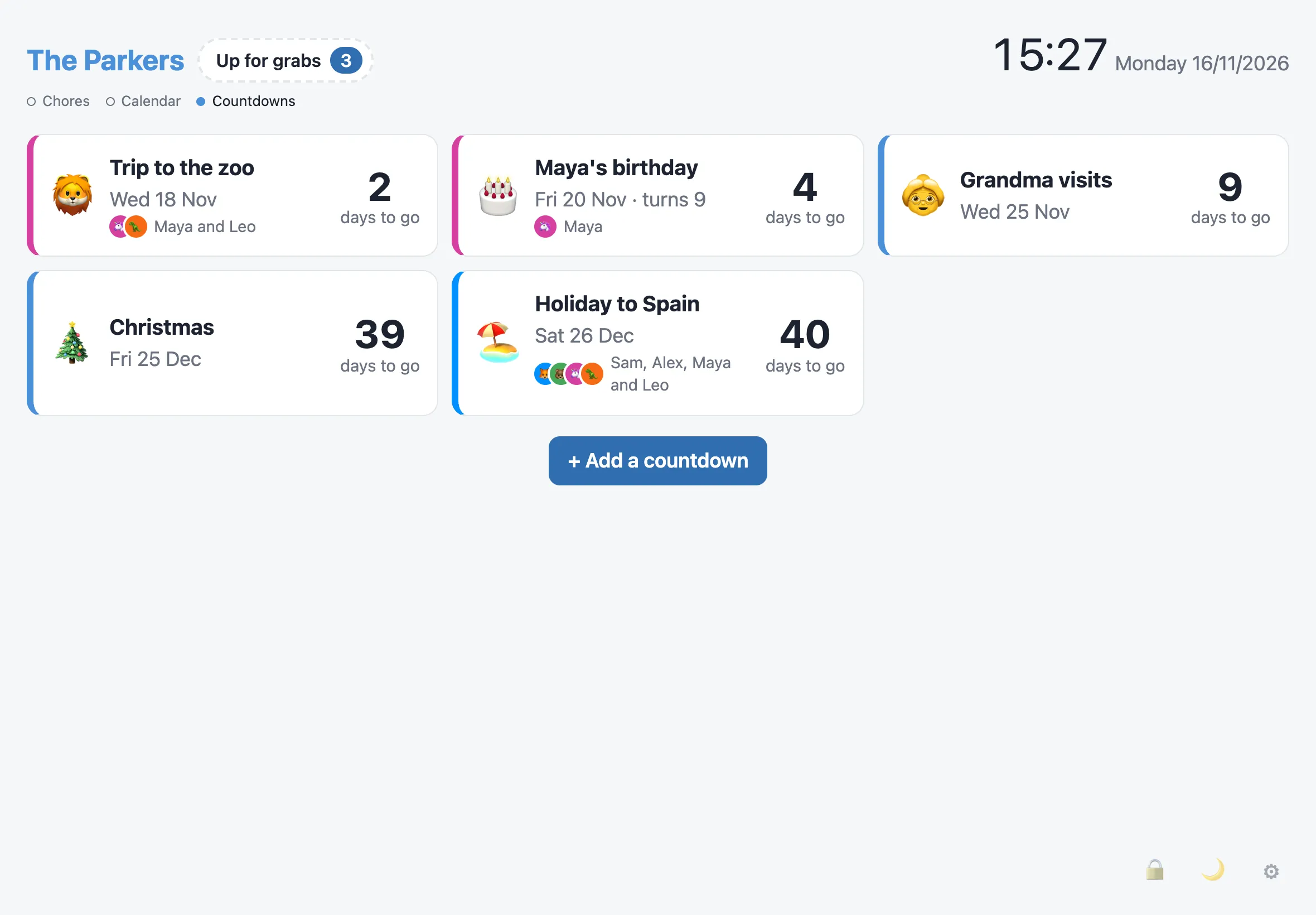
Section titled “On the board”- A strip above the columns shows the next three, such as “🏖️ Holiday to Spain · 3 days”. When it’s further off, it says weeks or months instead.
- Tap the strip, or swipe left past the calendar, for the Countdowns view. It lists all of them, soonest first, with the day and the number of days to go. On the day, it says “Today! 🎉”.
- Someone a countdown is for shows with their picture, in their colour.
- The screensaver shows the soonest one, such as “Sam’s birthday in 3 days”.
- The calendar shows countdowns and birthdays on their day. Tap one to open the Countdowns view. Choosing a person in the calendar keeps their countdowns and the ones that aren’t for anyone.
Adding a countdown
Section titled “Adding a countdown”Go to Admin › Countdowns and tap Add a countdown:
- What’s happening?, an emoji and the Day.
- Every year, for days like Christmas or an anniversary. Without it, the countdown goes from the board once the day has been.
- Who’s it for? (optional): tap one or more people’s faces, like Mum for a baby due, or everyone going on holiday. Their pictures show next to it.
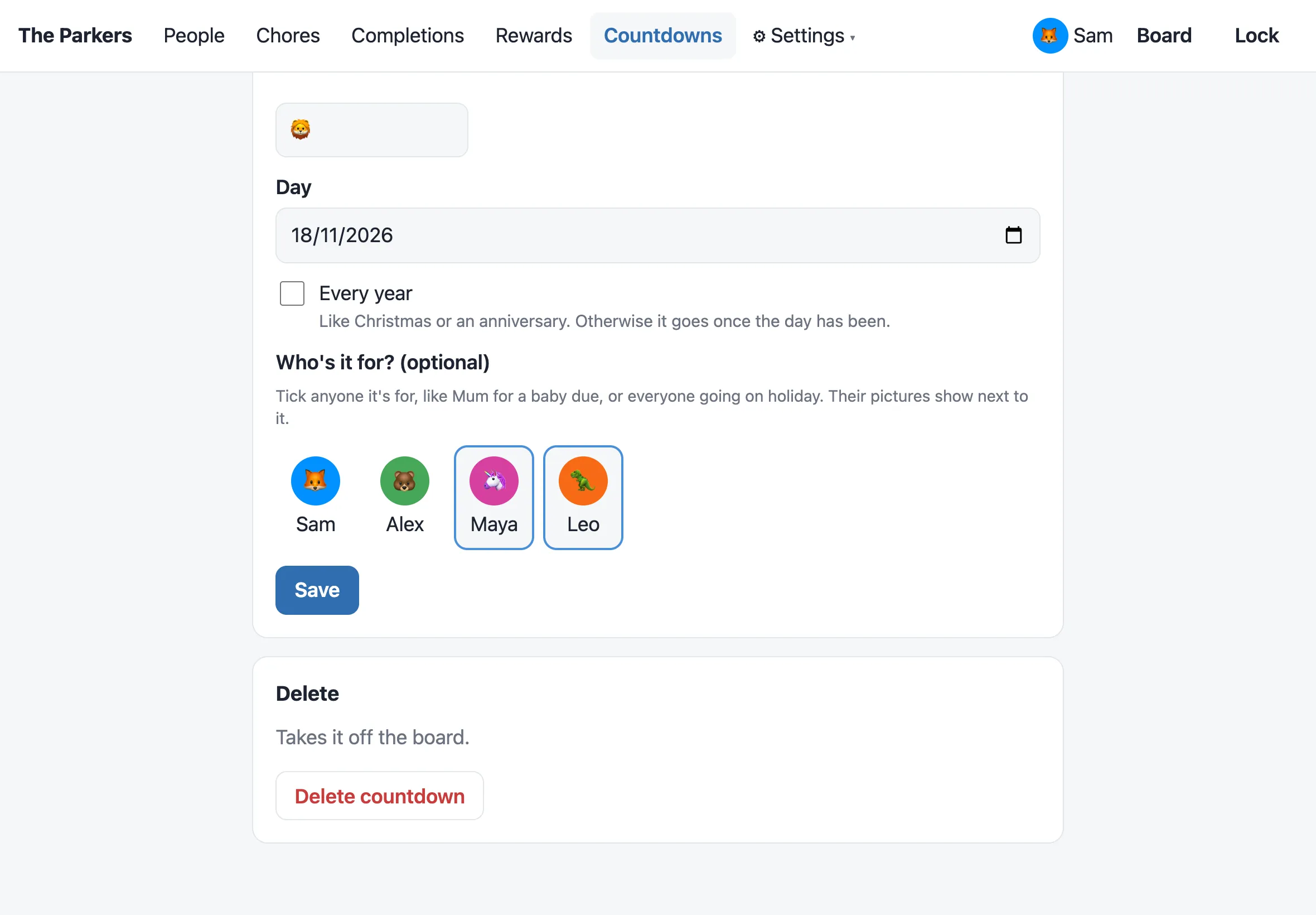
Admin › Countdowns lists them all, with birthdays among them. Tap one to change or delete it. Countdowns whose day has been are under Passed, where you can delete them.
Birthdays
Section titled “Birthdays”Birthdays don’t need a countdown. Add an optional Birthday to someone’s page in Admin › People: the day and month, and the year if you like. It counts down every year as “🎂 Maya’s birthday”, and with the year, it says how old they’re turning (“turns 9”).
Kids adding their own
Section titled “Kids adding their own”Tick Can add countdowns on a child’s page in Admin › People. Then, on a household display:
- In the Countdowns view, they tap + Add a countdown.
- They choose themselves and type their PIN.
- They fill in the same form as admin, without Who’s it for?, and tap Add countdown.
They can change or delete only the ones they added. Countdowns can only be added this way on a household display, so it needs the child to have a PIN.
Switching it off
Section titled “Switching it off”Countdowns is a module, on to start with. Switched off, the strip, the view, the screensaver line and Admin › Countdowns go, and the countdowns and birthdays are kept for when it’s back on.